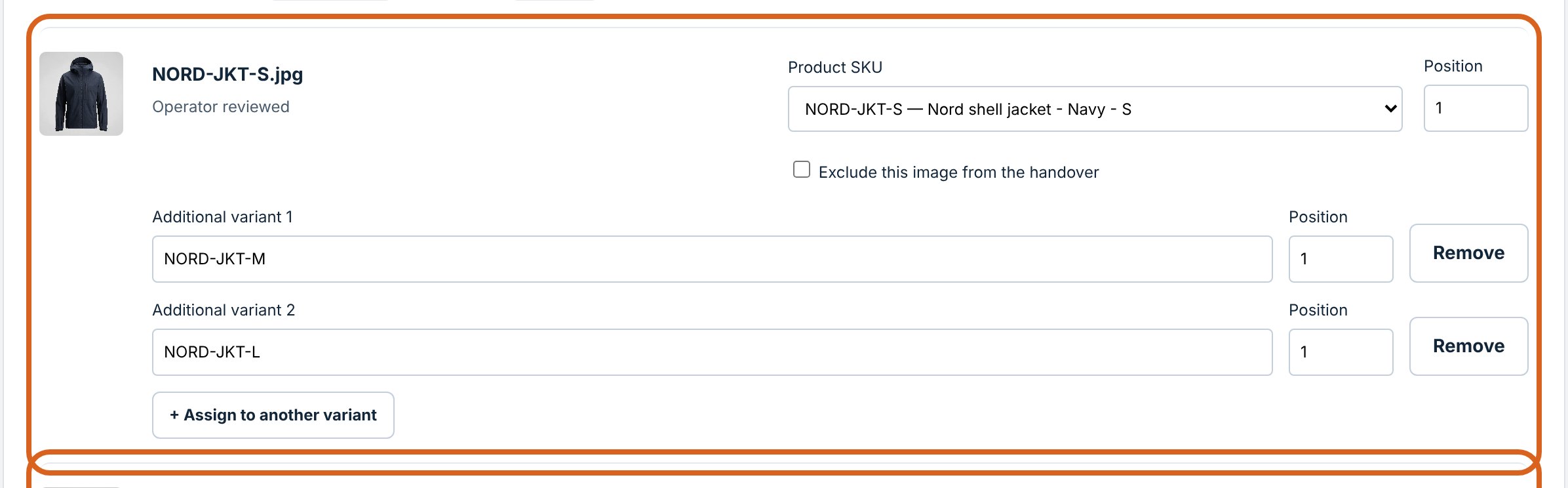
Share photos across variants
One jacket photo for sizes S, M and L. The package holds it once; the mapping lists it for every size, in the order you set.
Product
Watch the demo, see what it does and how it fits your workflow, then pick a plan. Jump straight to a part with the links below.
See it work
A shell jacket in three sizes, a hoodie in two colours and five photos, including one with no product code, one blurry duplicate and one product the supplier forgot.
Garment photos are AI-generated, and the product codes and links are made up. The app on screen is the real one.
Features
One jacket photo for sizes S, M and L. The package holds it once; the mapping lists it for every size, in the order you set.
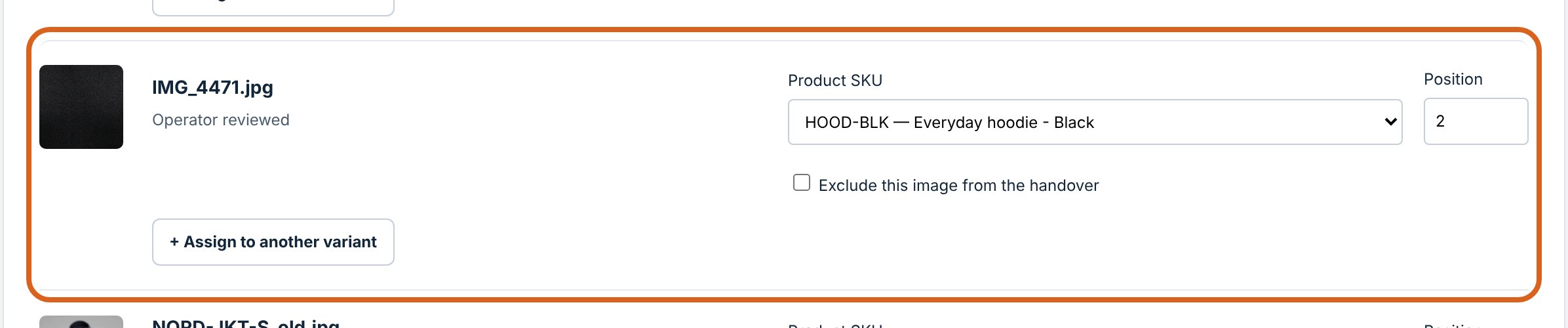
Exact codes are matched for you. Camera names, typos and ambiguous files wait for a person, and nothing downloads until you approve.
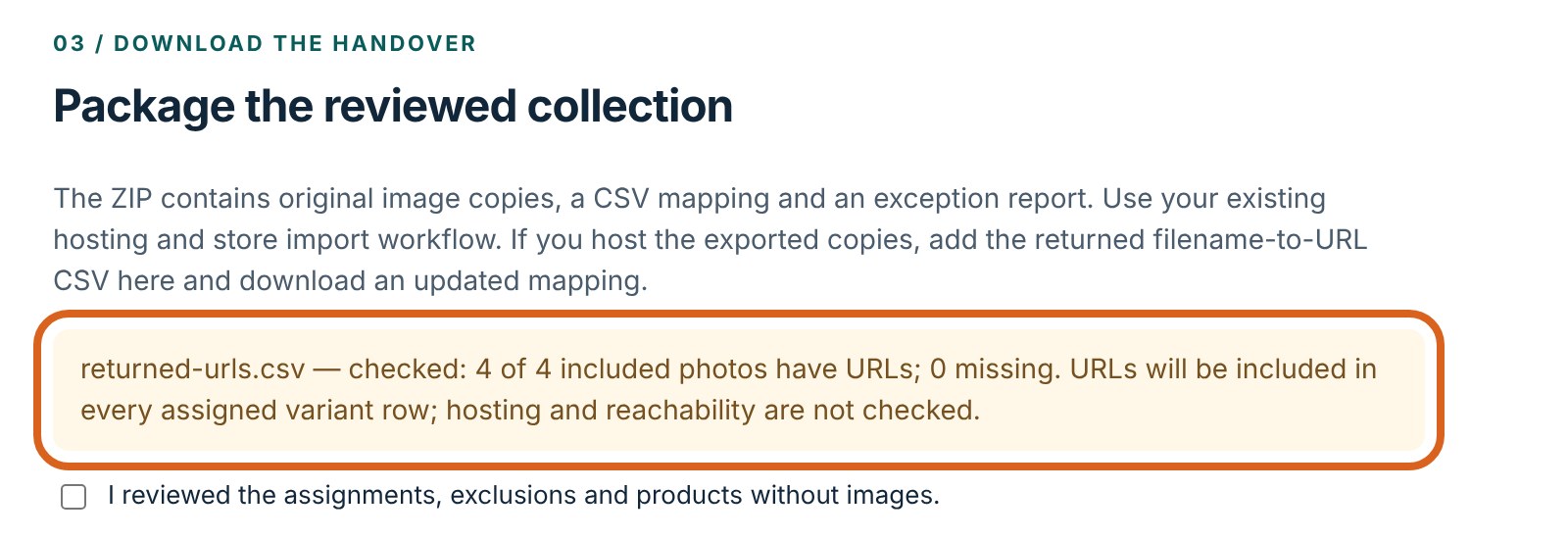
After your own upload, add the host's filename-to-URL list. Each link lands on every product that uses that photo, and your choices stay put.
How it works
Photo hosting and the store import stay with the tools you already trust. We show those steps for what they are.
A UTF-8 product CSV and the supplier's JPEG or PNG photos, or a whole folder. Map the supplier's own column names if they differ.
In TidrivoResolve the uncertain ones, set the order, share photos across variants and exclude what doesn't belong.
In TidrivoUnchanged photo copies, a mapping CSV, an exception report and the saved project, in one ZIP.
In TidrivoWith your usual photo host or store. Tidrivo doesn't upload images or create links.
In your own toolsTidrivo checks the filename-to-URL list, keeps every decision, and exports an updated mapping after you approve again.
In TidrivoAdapt the mapping to your importer, test a small import, then check the live products.
In your own toolsWhat you get
A plain ZIP, no proprietary format. A colleague or a client can see exactly what was decided and why.
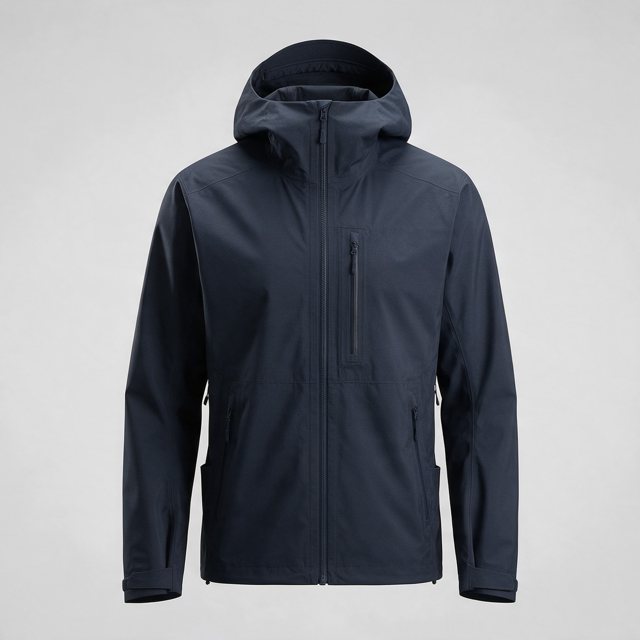
One jacket photo, three sizes. The ZIP holds one image file and three mapping rows. When its uploaded link comes back, the same link lands on all three variants.
Pricing
Try the full workflow with the sample collection or your own small batch. No account, no card.
See it work on your own files.
For store teams and freelancers.
For agencies handling client catalogs.
Prices in USD, excluding VAT. Cancel anytime. Your files are processed in your browser on every plan.
Fit and limits
Safari and phones are not yet verified.
Try the free demo with the built-in sample files, then run one of your own batches. No account, no card.